Loading Gradenest...
Examination Management
Any Exam Structure. Any Academic Calendar. Zero Limits.
Whether your school runs two terms or three semesters, with CA tests or practicals, Gradenest adapts to your exact examination structure — not the other way around.
What is Examination Management?
Examination Management in Gradenest handles the full lifecycle of academic assessments — from defining exam types and schedules to score entry, validation, and result computation. It supports unlimited academic sessions, terms, and custom examination structures.
Who is it for?
Examination officers, academic coordinators, and school administrators responsible for exam scheduling and result processing.
Why it matters
Examination errors are the #1 source of complaints in schools. A well-configured examination system eliminates manual miscalculations and ensures every result is computed consistently.
Key Benefits
Here is how this module helps optimize your daily administrative workflow.
Unlimited Exams
Create as many examination types as needed — midterms, finals, mocks, practicals, and custom assessments.
Session Management
Define academic sessions, terms, and semesters with custom date ranges.
Score Validation
Automatic validation ensures scores fall within defined ranges before processing.
Auto-Computation
Grades, positions, and GPA are calculated automatically based on your rules.
Secure Processing
Lock results after approval to prevent unauthorized changes.
Historical Records
Access examination results from any previous session without limits.
Product Capabilities
Built specifically to address the academic needs of modern schools.
Exam Type Builder
Create custom exam types with unique naming, weights, and score ranges.
Academic Calendar
Define sessions, terms, holidays, and exam periods in a visual calendar.
Score Entry Workflow
Teachers enter scores, heads of department verify, and principals approve.
Anomaly Detection
AI flags suspicious score patterns — unusually high averages, identical scores, or outliers.
Result Locking
Once approved, results are locked to maintain integrity. Changes require admin override.
Broadsheet Export
Export complete class broadsheets in Excel and PDF formats.
How It Works
A simple, automated workflow that takes you from raw data to actionable results.
Step 1
Define Exams
Create examination types, set score ranges, and configure weights.
Step 2
Open for Entry
Activate the exam period so teachers can enter scores for their subjects.
Step 3
Validate & Process
AI validates scores and computes grades, positions, and GPA automatically.
Step 4
Approve & Publish
Principals review and approve results before they go live on portals.
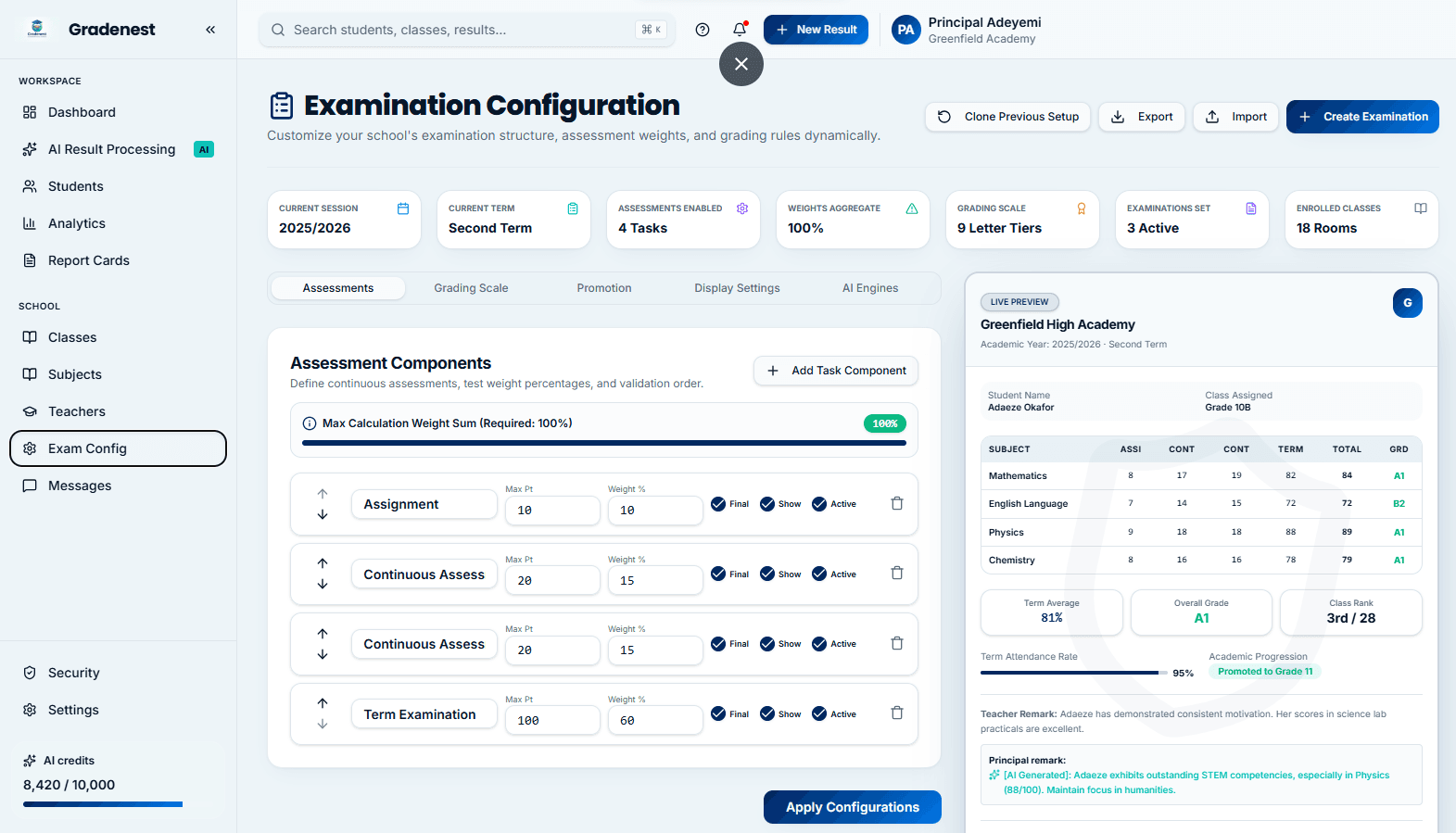
Examination Management Interface
Take a tour of the clean, modern layout designed for examination management.
Frequently Asked Questions
Everything you need to know about this module.
Yes. You can create unlimited examination types with custom names, score ranges, and weights. Examples include First CA, Second CA, Midterm, Final Exam, Practical, and Project.
Scores follow a three-step workflow: Teacher Entry → HOD Verification → Principal Approval. Each step must be completed before results are published.
Yes. You can manage the current session while still accessing historical records from any previous session.
Before approval, scores can be edited by the teacher or HOD. After locking, only administrators with override permissions can make changes, and all edits are logged in the audit trail.
Ready to Transform Your School?
Join hundreds of schools already using Gradenest to save time, eliminate errors, and improve academic outcomes.