Loading Gradenest...
Subject Management
Configure Any Subject. Any Curriculum. Any Grading Scale.
Define subjects, assign teachers, configure continuous assessment weights, and set grading rules — all tailored to your school's unique curriculum.
What is Subject Management?
Subject Management in Gradenest lets you define your school's entire curriculum structure. Create subjects, assign them to classes, link teachers, and configure how each subject is graded — including CA/exam weightings, grading scales, and assessment types.
Who is it for?
Academic coordinators, heads of department, and school administrators who define curriculum structure.
Why it matters
Every school has unique subjects and grading rules. A rigid system forces you to adapt your curriculum to the software. Gradenest adapts to you.
Key Benefits
Here is how this module helps optimize your daily administrative workflow.
Unlimited Subjects
Create as many subjects as your curriculum requires, across all departments.
Custom Grading
Define unique grading scales, CA weightings, and assessment structures per subject.
Teacher Assignment
Link specific teachers to subjects and classes with clear responsibility mapping.
Department Grouping
Organize subjects into departments for structured administration.
Assessment Configuration
Set up continuous assessments, midterms, finals, and practicals with custom weights.
Session Continuity
Subject configurations carry over automatically between academic sessions.
Product Capabilities
Built specifically to address the academic needs of modern schools.
Subject Creation
Create subjects with codes, full names, departments, and credit units.
Grading Scale Editor
Define percentage ranges, letter grades, and grade points per subject.
Assessment Builder
Configure CA1, CA2, midterm, exam, and practical components with custom weights.
Multi-Teacher Support
Assign multiple teachers to the same subject across different classes.
Subject Analytics
Track pass rates, class averages, and performance trends per subject.
Result Integration
Subject configurations directly feed into the result processing engine.
How It Works
A simple, automated workflow that takes you from raw data to actionable results.
Step 1
Create Subjects
Define subjects with names, codes, and department affiliations.
Step 2
Configure Grading
Set up grading scales, CA weights, and assessment components.
Step 3
Assign Teachers
Link teachers to specific subjects and class combinations.
Step 4
Process Results
When scores are entered, the system uses your configurations to calculate grades automatically.
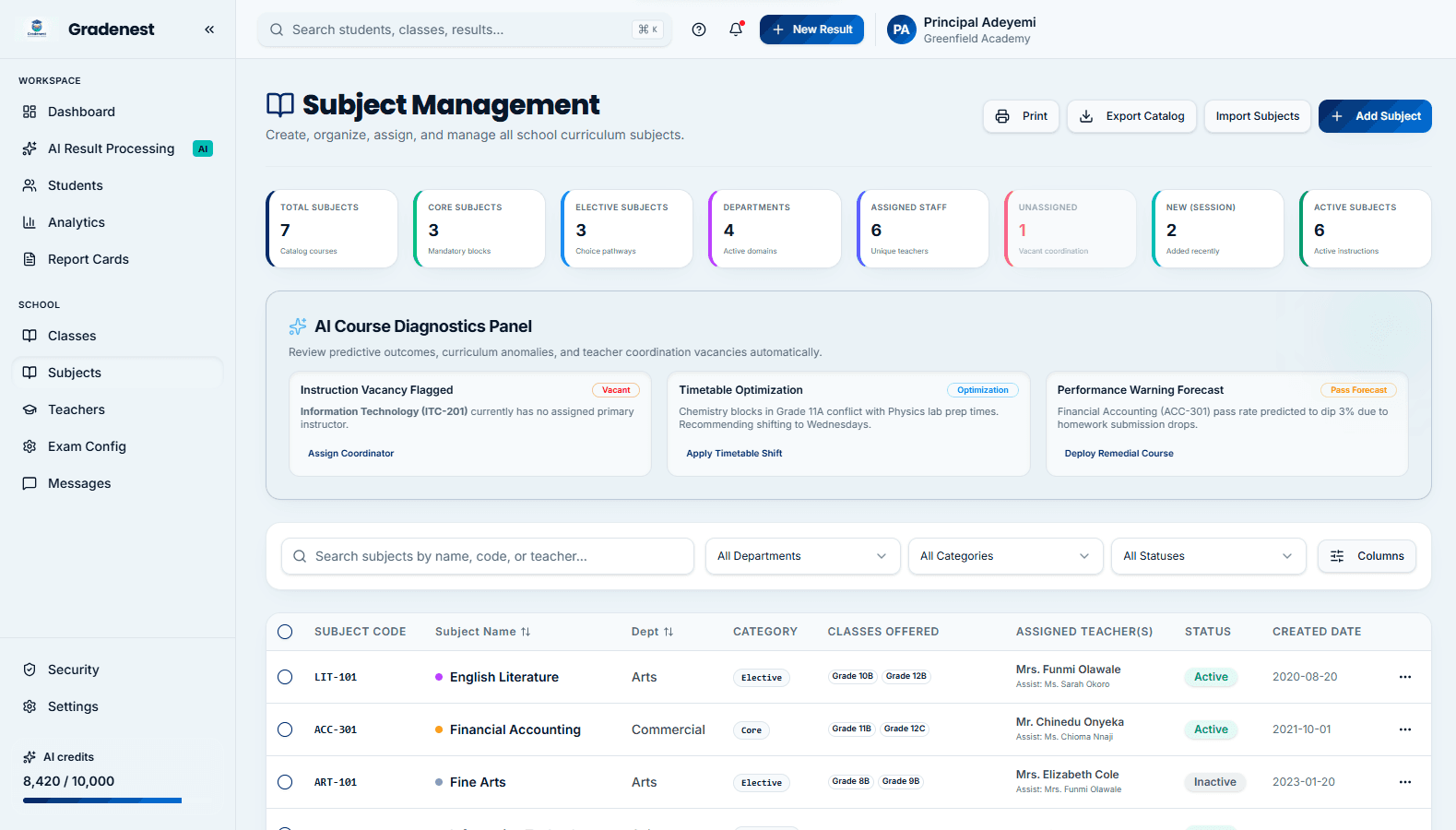
Subject Management Interface
Take a tour of the clean, modern layout designed for subject management.
Frequently Asked Questions
Everything you need to know about this module.
Yes. You can configure unique grading scales per class level, per department, or even per individual subject.
In the Assessment Builder, you define how many CA components exist, their names, maximum marks, and weights. The system then enforces these rules during score entry.
Yes. A teacher can be assigned to the same subject across as many classes as needed.
Changes apply to new calculations going forward. Historical results retain the grading scale that was active when they were processed, ensuring data integrity.
Ready to Transform Your School?
Join hundreds of schools already using Gradenest to save time, eliminate errors, and improve academic outcomes.